
Appearance
Debugging Player State
How to reproduce a player's issue locally by exporting them from the cloud, importing them into a local server, and attaching your own account to their state.
How to reproduce a player's issue locally by exporting them from the cloud, importing them into a local server, and attaching your own account to their state.
Some player issues are difficult to understand from the dashboard event logs and server logs alone. To investigate them, it helps to step through the player's exact state in a local environment where you can attach a debugger and modify game logic freely.
The workflow has three parts: export the player from the cloud environment, import the player into your local server, and attach your own login method to the imported player so your client connects to their state.
Always Work in the Local Environment
This workflow attaches your own login method to a copy of the player's account in your local or development environment. Avoid modifing the login methods in the production environment to avoid inadvert mutations to player's state.
Open the LiveOps Dashboard for the cloud environment, navigate to the player you want to debug, and export them as an Entity Archive. The detailed steps are in Exporting a Player.
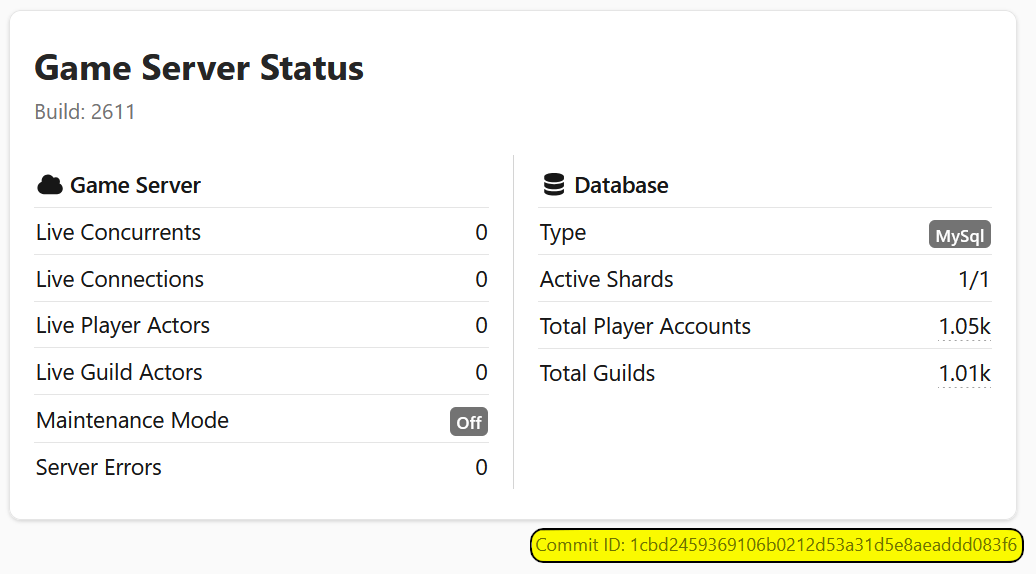
A serialized entity can only be imported into a compatible game version. If your local server runs a different schema version than the cloud environment, the import may fail. When in doubt, use the exact source code version the server is running. The server's Commit ID is visible on the front page of the LiveOps Dashboard.
Start your local server and dashboard, then import the Entity Archive through Settings → Advanced → Import Game Entities. The detailed steps are in Importing a Player.
If the imported player conflicts with an existing one, you can create the player under a new ID so your existing local accounts are left untouched.
At this point the imported player exists in your local database, but your client still signs in to your own local account. To connect your client to the imported player's state, move your own login method onto the imported player:
You can now reproduce the player's issue locally, step through it with a debugger, and modify game logic as needed.
If you do not need to keep the imported player as a separate entity, you can instead overwrite your own player with the exported data. This replaces your account's state with the imported state and automatically remaps your player ID and login methods on top of it, so your client connects to the imported state without a separate reconnect step. See Overwriting a Player.