
Appearance
Setup CI Pipeline
How to set up a CI/CD pipeline to deploy your game server into Metaplay Cloud.
How to set up a CI/CD pipeline to deploy your game server into Metaplay Cloud.
We recommend setting up a CI/CD pipeline to automate your game server builds and deployments. This way, every push to your repository can automatically build and deploy an updated game server to the Metaplay Cloud.
In short, you will need to:
METAPLAY_CREDENTIALS.First, you need to create a machine user that your CI pipeline can use to access the Metaplay Cloud.
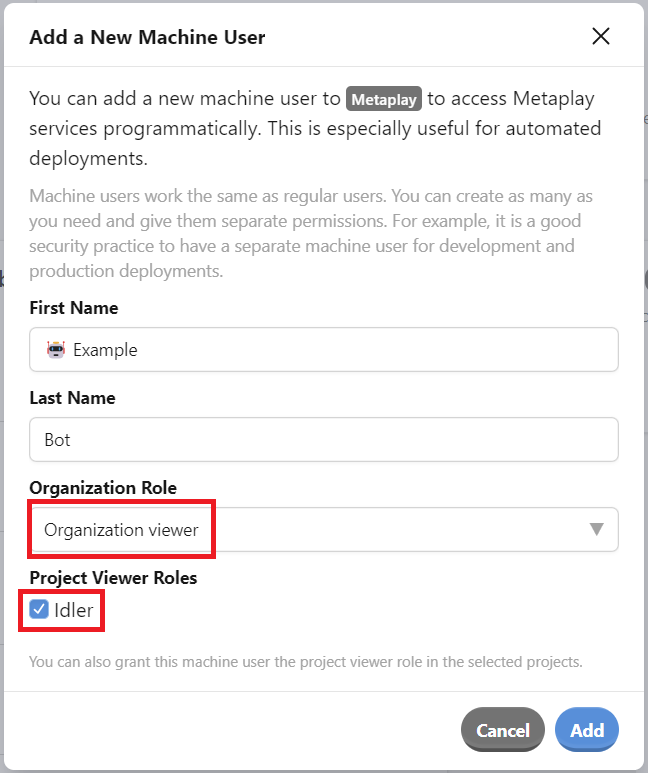
Navigate to the Members tab of your organization in the Metaplay Portal. Then, press Add Machine User.

Give the machine user a name of your choice, assign it the 'organization viewer' role, and check the project boxes for which you want to use this machine account.
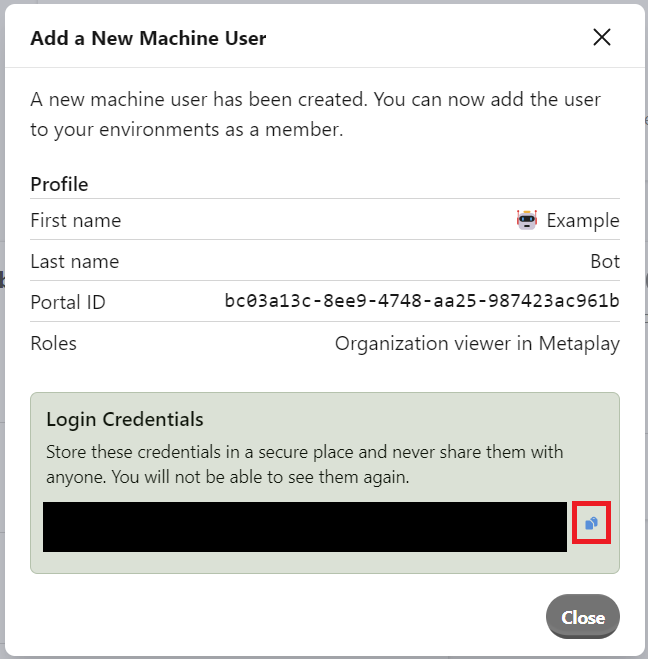
Copy the credentials into a safe place. We don't keep them, so you'll need to create another machine user if you lose them.
Navigate to the environment(s) to which you want to deploy and grant the machine user the game-admin role. This role gives the machine user full access to the environment.

Create a secret in your CI system named METAPLAY_CREDENTIALS and store the machine user credentials from the earlier step as the secret's value.
Run the following command in your project directory:
MyProject$ metaplay init ci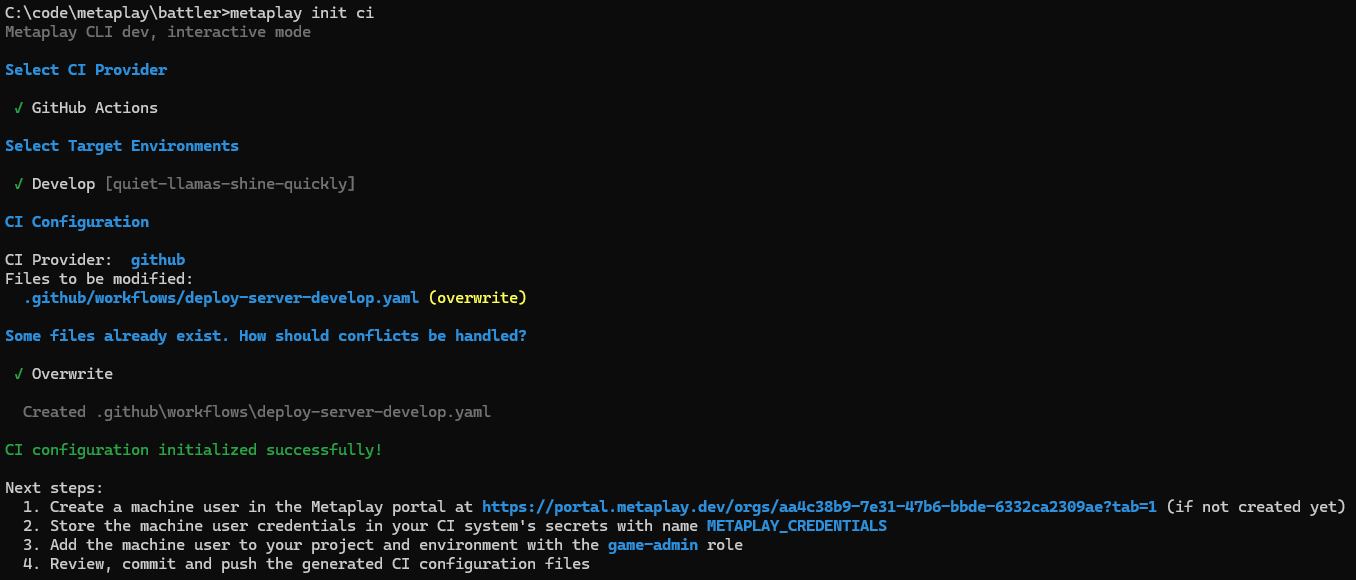
The command will help you generate the template(s) for your game server deploy pipelines for the desired cloud environments. Follow the instructions and the CLI will guide you through the process.
The generated files include sensible defaults, but you should customize the triggers to match your team's workflow. For example, you might want to:
main.Refer to your CI system's documentation for details on configuring triggers.
Review the generated configuration files, then commit and push them to your repository.
Push a new commit to your repository to trigger the CI job. You should see the job run and deploy your game server to the Metaplay Cloud. You now also have easy access to the build logs in the CI system of your choice.
Some CI jobs only need the Metaplay CLI installed but don't need to authenticate to the Metaplay Cloud — for example, running automated tests or validating your project configuration. In these cases, you can skip authentication by setting login: false on the setup-cli action:
- name: Setup Metaplay CLI
  uses: metaplay-shared/github-workflows/setup-cli@v0
  with:
    login: false
This installs the CLI without requiring machine user credentials, so you don't need to set up the METAPLAY_CREDENTIALS secret for these jobs. This is useful for keeping your test pipelines simple and avoiding unnecessary access to the cloud.
With automated deployments out of the way, you can focus on building and testing your game!
When the time is right, you may want to explore some of the more advanced aspects of cloud deployments: