
Appearance
Release 39
November 5th, 2026
November 5th, 2026
Your game server now compiles in roughly half the time, and game config builds are faster. On macOS, a large game's config build no longer slows down by about 4x when the Unity editor is in the background. The game server also starts faster and uses less memory.
You can now build a web-native game in C# without Unity: your game is a regular web app, with your game code running directly in the browser. The new Blazor starter project gives you a starting point, using Blazor to run C# in the browser: a small clicker game with an offline mode, game configs built from CSV files, and browser tests. Deploy it with the new metaplay deploy webclient command, and it connects to your environment's game server with no configuration. See Blazor Starter Project.
Metaplay Agent is now out of preview. It makes Codex, OpenCode, Claude Code, and other coding agents expert Metaplay developers that build features, review your code, and diagnose player incidents and server errors.
Since the last release, Metaplay Agent has also become more capable:
metaplay auth login --no-browser.When your coding agent sets up a project from the new Blazor Starter Project by following its getting-started instructions, it installs Metaplay Agent for you. For your other projects, enable it with metaplay skills install. See the Metaplay Agent guide for more.
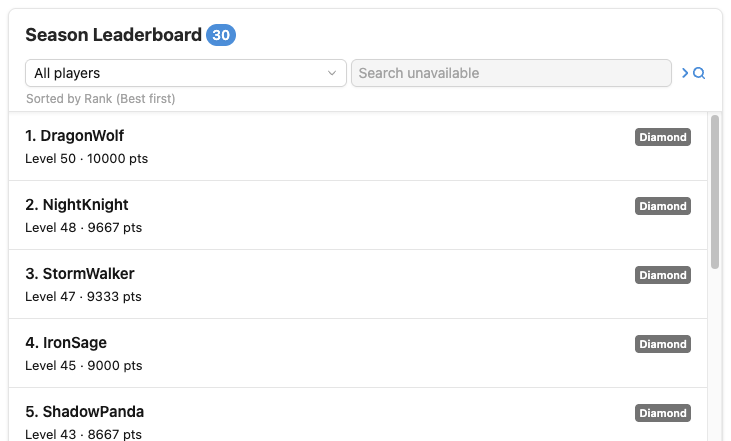
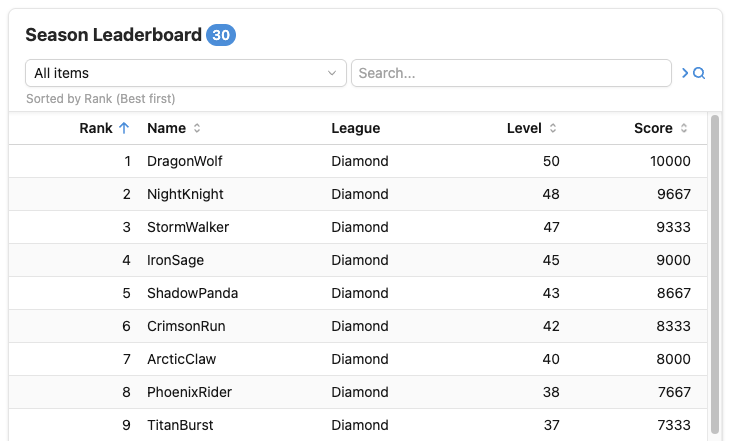
MListCard UI Component Reaches Stable Public Release The new MListCard component, first introduced in the last release and now used by every list in the LiveOps Dashboard, has reached a stable and public release. The card has also gained flexible new layouts, letting you choose the one that best suits your data: a list with MItemList, a table with MItemTable, a grid of tiles with MItemGrid, or your own custom layout.
 |  |
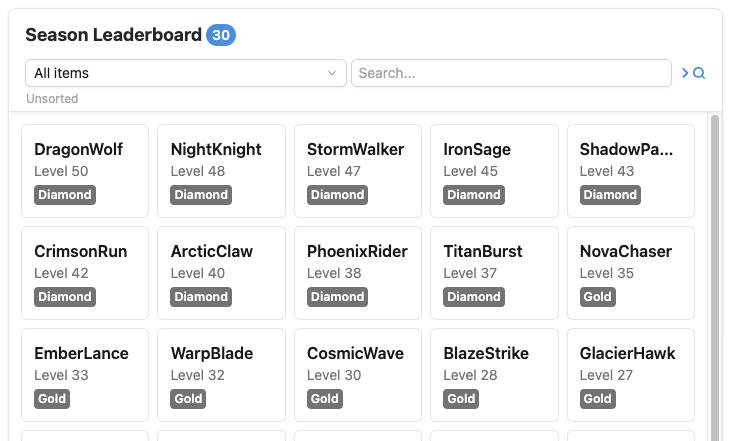 | 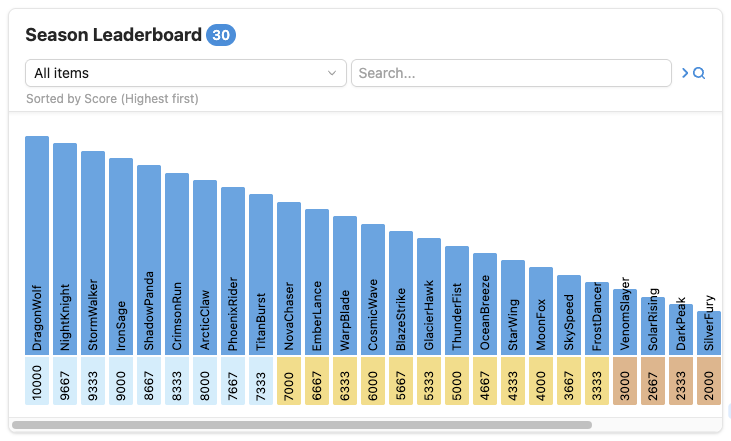 |
The MListCard component is a replacement for our old MetaListCard, which is now deprecated and will be removed in the next release. See the migration guide below.
Rider, ReSharper and Visual Studio now recognize your [MetaMember] properties and your [MessageHandler], [EntityAskHandler] and other actor handler methods. They are no longer greyed out, and Rider no longer suggests making [MetaMember] setters get-only. You can remove the [UsedImplicitly] attributes and IDE0051 suppressions you may have added as workarounds. The Metaplay code analyzers also run faster in your IDE.
game_conn_tls_cert_failures_total game server metric.[PeriodicTimerHandler] attribute declares a periodic timer directly on a method, without needing to declare a command message.ScheduleExecuteOnActorContext() now has an overload that takes a MetaTime that accounts for the current debug time skip.api.audit_logs.view_ip_address permission controls who can see the source IP addresses of audit log events.SessionActor.ShouldAllowGuildViewAsync() hook lets you control which guilds a player may open a Guild View into.MultiplayerEntityActorBase.ExecuteActionPerMember() executes an action on one member's client only, or a different action on each of several members' clients, at the same timeline position and under the same checksum for everyone, while the server and the other clients execute nothing for that operation. Use it to modify a member's private state, such as the cards in a player's hand, in order with the public timeline. See 11. Modifying a Member's Private State.PlayerEventClientDisconnected analytics event now contains the session length.JetBrains.Annotations, so Rider and ReSharper no longer report them as unused or suggest making their setters get-only: actor message handler methods, EntityConfig classes, runtime options, [MetaMember]s, [GameConfigEntry] properties, schema migration methods, and [MetaOnDeserialized] methods. You can remove your own [UsedImplicitly] workarounds on these.[MessageHandler] and [EntityAskHandler] methods, as unused (IDE0051) on the server.Bot:IncidentUploadMode runtime option sets whether bots upload incident reports only over HTTP or only over the game session.S3Compatible blob storage backend stores the server's blobs on an S3-compatible service. See Blob Storage Outside AWS.BlobStorage:S3ServicePublicUrl runtime option sets the address of the S3Compatible service that presigned URLs carry, such as a public host for game clients.S3BlobStorage now throws BlobStorageQuotaExceededException, a subclass of IOException, when a write exceeds the storage limit. See Storage Limits.RUN_SDK_UNIT_TESTS build argument of Dockerfile.server controls whether metaplay test integration builds and runs the SDK's own .NET unit tests. They run by default, as before. See Included Test Suites.CommitId and BuildNumber from common CI environment variables if they are not given explicitly.ConnectionLostEvent.IsRetryable tells whether reconnecting after a connection error can succeed, so the game knows whether the error it shows the player should offer to reconnect.Metaplay.Client, BrowserFrameLoop.Start() runs the SDK's frames on the page's animation frames, with the game's own per-frame work between the SDK's frame start and end, and reports a hidden page as the game pausing, so the server keeps the session waiting and the offline player is saved.IGameEngineIntegration is now public, so a game with an engine of its own can provide its engine integration. The SDK uses the most derived integration.LeaguesController no longer returns internal server state, and instead serves what the LiveOps Dashboard consumes. If your server code asked the league manager for its state, or your dashboard shows game-specific league manager state, see Miscellaneous API Changes.AuthenticationTokenProvider, OAuth2AuthorizationServerSpec and ClientGameConfigBuildApiConfig moved from the Metaplay.Core.Client namespace to Metaplay.Unity, as they are now authoring-time only. Editor code that names them needs its using updated.MetaplayUnityEditorEnvironmentConfig, which lives in the Unity Editor assembly, and a runtime EnvironmentConfig holding only what a client build needs. Game-specific settings move from an EnvironmentConfig subclass into an EnvironmentConfigExtension that both hold, and [MetaMember] tags replace FilterForClientBuild(). The client build bakes the runtime config into a single binary asset. See For Games With Customized Environment Configs for the migration steps.MetaplayCore.InitializeForClient(), and no longer by MetaplayCore.InitializeForExternalApp() or MetaplayCore.Initialize().Metaplay.Client, such as Blazor WebAssembly clients, now find their game server by default from the endpoints file that the new metaplay deploy webclient command deploys with them. Blazor clients can use the SDK's blazor deploy preset.Database:ItemCountMode runtime option.LogChannel or DebugLog no longer include call stacks on device builds, except on error level. Resolving call stacks can be slow in pathological cases.PlayerIncident:IncidentUploadScanInterval runtime option.IBlobStorage has a new EnsureStoredAsync() method that writes a blob only if the stored bytes differ. Custom IBlobStorage implementations must implement it.Bot:MaxBots is now reduced to 10 from 500. Note that your Backend/BotClient/Config/Options.base.yaml most likely already defines this value.Nullable<TEnum> constructor parameter that has a non-null default, such as MyEnum? kind = MyEnum.B. When deserializing data that lacks the member, the IL2CPP-built Unity player reads the default wrong or crashes.ClientPeerState constructor now takes the session's AssociatedEntityRefBase instead of its ClientSlot.DivisionActorBase.SessionPeer constructor now takes the session's AssociatedEntityRefBase instead of its ClientSlot and participant id.Player:DebugConfig:CheckInitialModelChecksum runtime option is now enabled by default. It performs a single checksum check in the session handshake to catch incompatible data before starting the session.ClusterStarting and KickedByAdminAction connection errors.tls_error_certificate_invalid (2004) connection error.OPTIMIZE TABLE afterwards to release the freed storage..editorconfig, for example dotnet_diagnostic.AK2003.severity = warning.Akka.Logger.Serilog dependency and updated Google.Protobuf to 3.36.2.Microsoft.Build.Tasks.Core, System.Security.Cryptography.Xml and System.Security.Cryptography.Pkcs package references from Metaplay.Cloud. They existed only to override vulnerable transitive versions, and no dependency pulls these packages in anymore.MySqlConnector from 2.5.0 to 2.6.2, which fixes GHSA-473q-m89c-ghf8. The game server was not affected, because it connects with the default SslMode=Preferred and the advisory only applies to VerifyCA and VerifyFull.ConnectionLostReason.LoggedInElsewhere, instead of ConnectionLost. See "Report a Session Taken Over by Another Client as LoggedInElsewhere" in Miscellaneous API Changes.GooglePlayStore:EnableAndroidPublisherApi runtime option is set, IAP validation no longer tolerates failing Android Publisher API calls. Previously, failures were tolerated for non-subscription purchases, and only caused PaymentType to remain unset. Now, the purchase will remain unvalidated until the API call succeeds. In particular, your Android Publisher service account must have the correct permissions. See section For Games With Google Play IAPs.ConnectionLostReason.TemporarilyUnavailable) now has its own EnglishLocalizedReason, instead of "An internal error occurred."Error setting value to '<Member>'. These properties are still written when serializing, and are now skipped when reading.[MetaMember] typed without its tag id yet. A build in that state now reports the compiler errors you need to see, instead of an AD0001 about the analyzer.null platformSpecificOriginalTransactionId from ValidateClientDrivenPurchaseAsync() used to cause the player actor to crash.ValidateClientDrivenPurchaseAsync() reported an InAppPurchaseValidationResult that was either Refunded or UserDeclined, the SDK erroneously translated it to Invalid instead. The SDK now records the result correctly and also records the reported InAppPurchaseRefundReason if any.MetaSerializable type implements a deeply nested interface hierarchy. The analyzers followed every distinct path through such a hierarchy, and the number of paths grows exponentially with its depth.MetaReservedMembers and MetaBlockedMembers are now enforced on types that become serializable through an implemented interface, which the reserved range analyzer previously skipped. A type that violates its reserved ranges and was not reported before will now fail the build.WebApiBridge call from JavaScript to C# no longer hangs when the C# method's reply is not valid JSON. The promise returned to the JavaScript caller is now rejected with an error describing the parse failure.WebApiBridge calls from JavaScript to C# that are still in flight when the Metaplay client shuts down are now rejected, instead of leaving their promises pending forever.WebApiBridge no longer leaks the callback handlers of the completed JavaScript-to-C# calls until Metaplay client shutdown.WebApiBridge error now reports the returned string and the parse failure, instead of a ReferenceError.WebApiBridge method exported to the browser can now return a plain Task, for an async method with no reply value. Calling one previously threw an InvalidCastException and left the JavaScript caller's promise pending forever. The promise now resolves with undefined, the same result an exported void method gives.WebApiBridge method exported to the browser that is canceled now rejects the JavaScript caller's promise with an error. Previously the cancellation left the promise pending forever.WebApiBridge method exported to the browser that does not take a single string parameter, or does not return void, string, Task or Task<string>, now fails compilation with an error naming the method. Previously every call to it failed, and for an async method the JavaScript caller's promise was left pending forever.WebApiBridge method imported from the browser that is async and returns no value used to fail on the JavaScript side when called.WebApiBridge methods exported to the browser were potentially stripped out and silently never called.getWasmTableEntry function used to call from JavaScript into C#; custom .jslib plugins doing the same need updating too.SessionStartFailed incident report for connection failures that are expected rather than incidents, such as LogicVersionMismatch and ClientPatchVersionTooOld after a game update. Release 37 started reporting these when it began reporting connection failures during session start as SessionStartFailed instead of TerminalNetworkError; they had been filtered out before.LogicVersionMismatch after a game update, are now reported to the game immediately. Since Release 37 the client first ran its network diagnostics probes and waited up to five seconds for them, although their result was only needed for the incident report.IMultiplayerModel.GetMemberPrivateState() is now called with the entity that declared the association (i.e. the member) instead of the player. This only differs for associations declared by other entities than the player, such as guild league divisions.EnqueueServerAction() in PlayerActorBase.OnNewOwnerSession() no longer crashes the player actor on a model consistency check. OnNewOwnerSession() now runs before the session's initial state is created, and the actions it enqueues are executed before the session starts.S3BlobStorage presigned URLs requested for seven days are now shortened to just under seven days instead of failing or falling back to a deprecated SigV2 signature.S3BlobStorage.DeleteAsync() no longer throws NotImplementedException.EnqueueGuildAction(). Previously the player stayed in the guild, and the server logged an error about a missing InternalGuildPlayerClearKickedState handler.RestoreTransactions() was used, existing subscriptions did not get restored when switching to another player account while using the same IAP store account, until the next renewal of the subscription. Now, existing subscriptions are restored automatically on each application launch.PlayerModelConstants.MaxPendingInAppTransactions (100) at once, IAPManager still executed PlayerInAppPurchased for each of them. The ones over the limit failed and were reported via OnFailedToStartPurchaseValidation. IAPManager now leaves them unfinished in the store, which delivers them again on the next launch. A custom IAP integration can do the same by checking InAppPurchaseUtil.HasFreePendingPurchaseSlot().PublicWebApi now enables ASP.NET CORS middleware, allowing CORS policies to be registered.Akka, Serilog and UnityEngine at startup, which makes the server start faster and use less memory.DefaultOfflineServer.OnSessionStart() are now delivered to the client, and PostponeAction() no longer throws a NullReferenceException when called from it.OnLoaded() modifying config items shared with other experiment specializations, now scales its memory usage safety limit based on the serialized size of the config rather than simply the number of config items. This way, configs with large items no longer exceed it. As before, the debug check is by default enabled only in Unity editor and local servers.Players/Details/TopSection and Guilds/Details/TopSection let you add your own cards to the top section of the Player and Guild detail views.centered option for the width property of addUiComponent lets you display a card in a narrower column in the middle of the page.MListCard is now public, together with makeListCardBuilder, its types, and the new MItemList component that renders the card's items. It replaces MetaListCard and its MetaListSortOption, MetaListSortDirection, MetaListFilterOption and MetaListFilterSet classes from @metaplay/meta-ui, which are now deprecated and will be removed in the next release. See the migration guide below.MProgressBar is now public. If you used the unstable version, its value prop now takes a percentage between 0 and 100, and the min and max props have been removed.MItemTable component that shows a list of items as a table, as the body of an MListCard or on its own.MItemGrid component that shows a list of items as a grid of tiles, as the body of an MListCard or on its own.@metaplay/core, such as getSingleLeagueSubscriptionOptions and getSingleLeagueSeasonSubscriptionOptions, now type their data. The response types, such as LeagueResponse, LeagueSeasonResponse, LeagueSeasonSummary and DivisionDetails, are exported too, so custom league cards get type checking against what the server returns.MetaListCard now use MListCard, including the exported PlayerListCard and MetaGeneratedCard. Their props are unchanged, but their lists scroll instead of showing pages.MButton no longer renders a second, wrapping element carrying a -root test id. Automated tests should select the button by the data-testid given to the component instead.MInputSwitch now shows a tick when on and a cross when off, so its state is easier to read.MetaEventStreamCard's #event-details slot had its event's type corrected to what was already passed at runtime.EntityKind and EntityKind? fields as a dropdown of the registered entity kinds, instead of a "Missing Component" placeholder. Nullable enum, dynamic enum and string id fields now submit the chosen value as a string the server can read.localhost port.: in their name.MInputDateTime could show the wrong date for times near midnight. It now shows both the date and the time in UTC.api.schema.validate permission instead of api.matchmakers.test, so some users who may have been able to simulate matchmaking could not open the dialog.Guid and TimeSpan values are now shown as they are, instead of as a byte array and a tick count.MInputSingleSelectSwitch option label and active and hover state indicators are now properly aligned within the switch.MetaEventStream card now correctly renders buffered rows before they scroll into view.Samples/BlazorStarterProject) replaces HelloBlazorWasm. It is a starting point for a game with a Blazor WebAssembly client: a small clicker game with an offline mode, game configs built from CSV files, and browser tests.metaplay deploy webclient, and the game server's public web host redirects there.BotClient no longer freezes when it makes a matchmaking request. It used to await for a response to a MetaRequest in OnUpdate(), which caused a deadlock, because responses are not processed during OnUpdate().metaplay deploy webclient - Deploy a web client, such as a Blazor WebAssembly client, to an environment. We are aware of the following issues in this release:
com.unity.ide.visualstudio PackageOlder versions of the Unity package com.unity.ide.visualstudio generate .csproj project files that do not set <LangVersion> correctly. In that case, compilation of the Metaplay.Core.Serialization.Editor assembly fails with the CS8773 error:
Feature 'interpolated string handlers' is not available in C# 9.0. Please use language version 10.0 or greater.Update com.unity.ide.visualstudio to 2.0.25 or newer in the Unity Package Manager.
Please apply the following changes to your project to ensure compatibility with the latest Metaplay SDK.
Backward-Incompatible Changes
Bump your game's MetaplayCoreOptions.supportedLogicVersions to force a synchronized update of your game client and server.
The following core SDK changes affect projects that have written their own Playwright or Cypress tests against the LiveOps Dashboard:
MButton used to render a second, wrapping element carrying a -root test id in addition to the data-testid given to the component. That extra element is gone, so any test selecting on -root no longer finds anything. Select the button itself instead.
Migration steps:
Search your test suite for test ids ending in -root and drop the suffix.
await clickMButton(page.getByTestId('my-button-root'))
await clickMButton(page.getByTestId('my-button'))
Note that the -root test ids rendered by MInputSingleSelectDropdown and MInputSingleSelectAsyncDropdown are unaffected and should be left as they are.
If you have C# system tests, rename TestUtil.ClickMetaButtonAsync() to TestUtil.ClickMButtonAsync() and pass it the button's own test id.
await TestUtil.ClickMetaButtonAsync(Page.GetByTestId("my-button-root"));
await TestUtil.ClickMButtonAsync(Page.GetByTestId("my-button")); Premium SDK Update Support
If your support contract includes Metaplay-provided SDK updates, all the following steps have already been applied to your project. You can skip this migration guide!
This guide offers step-by-step instructions for migrating your project to the latest version of the Metaplay SDK. You can skip the migrations steps for features you are not using in your project.
It's a good idea to run the Metaplay integration test suite on your project before and after upgrading to the latest SDK version.
MyProject$ metaplay test integrationYou should get a clean test run before starting the upgrade process to know that your project is in a good state, and know that any test failures after the upgrade are related to the upgrade itself.
The following core SDK changes affect all Metaplay projects:
Metaplay's built-in database schema has changed, and you need to apply the migration steps to your project.
Migration Steps:
Generate the database schema migration code with:
# Install or update the EFCore tool:
Backend/Server$ dotnet tool install -g dotnet-ef
# Then, generate the migration code:
Backend/Server$ dotnet ef migrations add MetaplayRelease39
Then, add the generated files to your project's source control. For example, using Git:
Backend/Server$ git add .
Backend/Server$ git commit -m "Database schema migrations"
The migration steps will be automatically applied when you deploy the updated game server into an environment.
New permissions have been added:
api.audit_logs.view_ip_address for controlling if a role may see the source IP addresses of audit log events and search audit logs by them.api.players.trigger_iap_subscription_query for controlling if a role may trigger a query to an IAP store for getting the up-to-date state of a player's IAP subscription.If your project lists permissions explicitly in AdminApi:Permissions, the game server refuses to start until the new permissions are defined.
Migration Steps:
Specify which roles should have access to the permissions in your Backend/Server/Config/Options.*.yaml. For api.audit_logs.view_ip_address, a sensible default is to copy the roles from api.audit_logs.view. For api.players.trigger_iap_subscription_query, admin and customer support roles are appropriate.
 AdminApi:
   Permissions:
      ...
      api.audit_logs.view:                          [ game-admin, game-viewer, customer-support-senior, customer-support-agent ]
      api.audit_logs.view_ip_address:               [ game-admin, game-viewer, customer-support-senior, customer-support-agent ]
      ...
api.players.trigger_iap_subscription_query: [ game-admin, customer-support-senior, customer-support-agent ] The following client SDK changes affect projects that have extended EnvironmentConfig or used its Editor-only settings from code, implemented a custom IEnvironmentConfigProvider, or built the environment configs from their own build scripts.
EnvironmentConfig has been split into an authoring type and a runtime type. Authoring-time settings now belong to MetaplayUnityEditorEnvironmentConfig in the Metaplay.Unity.Editor assembly, while EnvironmentConfig in the Metaplay assembly holds what the running client sees. The two share the types of the settings they have in common, and game-specific settings move into an EnvironmentConfigExtension that both hold. EnvironmentConfig can no longer be inherited.
Building the baked file is now done by MetaplayUnityEditorEnvironmentConfigBuilder instead of DefaultEnvironmentConfigProvider.
Migration Steps:
Update calls that build the environment configs.
DefaultEnvironmentConfigProvider.Instance.BuildEnvironmentConfigs(environmentId, includedEnvironments);
MetaplayUnityEditorEnvironmentConfigBuilder.Build(environmentId, includedEnvironments);
If you inherited DefaultEnvironmentConfigBuilder to customize which environments go into a build, inherit BuildEnvironmentFilter instead.
public class MyEnvironmentConfigBuilder : DefaultEnvironmentConfigBuilder
{
    public override void BuildEnvironmentConfigs()
    {
        BuildEnvironmentConfigs("my-environment", new string[] { "my-environment" });
    }
}
public class MyBuildEnvironmentFilter : BuildEnvironmentFilter
{
    public override MetaplayUnityEditorEnvironmentConfigBuilder.EnvironmentConfigClientBuildOptions TryGetBuildOptions()
    {
        return new MetaplayUnityEditorEnvironmentConfigBuilder.EnvironmentConfigClientBuildOptions(
            "my-environment",
            new MetaplayUnityEditorEnvironmentConfig[] { MetaplayUnityEditorEnvironmentConfigStore.Instance.Get("my-environment") });
    }
} MetaplayUnityEditorEnvironmentConfigStore now manages the environment configs instead of DefaultEnvironmentConfigProvider.
Migration Steps:
Move authoring data fetches over to MetaplayUnityEditorEnvironmentConfigStore.
EnvironmentConfig environmentConfig = DefaultEnvironmentConfigProvider.Instance.GetEnvironmentConfig("nimbly");
MetaplayUnityEditorEnvironmentConfig environmentConfig = MetaplayUnityEditorEnvironmentConfigStore.Instance.Get("nimbly");
string authorizationToken = await environmentConfig.FetchAuthorizationTokenAsync();Game-specific environment settings now go into a subclass of EnvironmentConfigExtension, which both the authoring-time and the runtime environment config hold. FilterForClientBuild() is replaced by [MetaMember] tags: a client build includes only the tagged members of the extension, while untagged members are still saved in EnvironmentConfigs.json and editable in the Editor. The extension's members are stored as properties of each environment, as before, so EnvironmentConfigs.json needs no changes.
Migration Steps:
Change your subclass to inherit EnvironmentConfigExtension, make it serializable, tag the members the client needs at runtime, and remove FilterForClientBuild(). Move the file to shared code if it is in a client-only assembly, as it contributes to the protocol hash.
public class CustomExtendedEnvironmentConfig : EnvironmentConfig
[MetaSerializableDerived(1)]
public class CustomExtendedEnvironmentConfig : EnvironmentConfigExtension
{
    public int MyExtendedInt;
    [MetaMember(1)] public int MyExtendedInt;
    public string MyEditorOnlyString;

    protected override void FilterForClientBuild()
    {
        base.FilterForClientBuild();
        MyEditorOnlyString = null;
    }
}
Update the code that reads your custom settings at runtime.
CustomExtendedEnvironmentConfig config = (CustomExtendedEnvironmentConfig)IEnvironmentConfigProvider.Get();
CustomExtendedEnvironmentConfig config = IEnvironmentConfigProvider.Get().GetExtension<CustomExtendedEnvironmentConfig>(); The runtime EnvironmentConfig has changed, and custom providers need to update how they construct it.
Migration Steps:
Remove assignments of the removed members Version, Description and ClientGameConfigBuildApiConfig.
EnvironmentConfig config = new EnvironmentConfig
{
    Id = "localhost",
    Version = ...,
    Description = ...,
    ClientGameConfigBuildApiConfig = ...,
    ConnectionEndpointConfig = endpoint,
};
Set a default value for GameConfigMutationDetection if it's not already set.
EnvironmentConfig config = new EnvironmentConfig
{
    Id = "localhost",
    ConnectionEndpointConfig = endpoint,
    GameConfigMutationDetection = new ClientGameConfigMutationDetectionConfig(),
};The following LiveOps Dashboard changes affect projects that have a game-specific dashboard project:
As usual, we have updated the underlying dependencies and configurations of the LiveOps Dashboard. This causes changes to configuration files, which you will need to update in your dashboard project. We use the MetaplaySDK/Frontend/DefaultDashboard folder as the source of truth for these files.
Migration Steps:
Update the package.json to update your project's dependencies.
package.json file directly from the MetaplaySDK/Frontend/DefaultDashboard directory. Next, restore the name property inside the file to that of your project. This is typically of the form "name": "<projectName>-dashboard".To ensure that your dashboard project has the correct dependencies, you will need to clear the existing cached files and recreate them.
You should ensure that you have Node version 24.13.0 (the latest 24.x version at the time of writing) installed. To check the current version, run node --version. If you are using nvm, you can update Node with:
# Install Node 24.13.0 with Node Version Manager (nvm).
nvm install 24.13.0

# Use the new version.
nvm use 24.13.0
Migration Steps:
metaplay update cli or installing the CLI using instructions at Metaplay CLI.metaplay dev clean-dashboard-artifacts from within your project folder. This clears any currently installed dependencies and built files.pnpm-lock.yaml file from the root of your project. This clears the cached dependency versions.metaplay dev dashboard from within your project folder. This recreates all of the above files and folders with the correct dependencies, and runs the dashboard in development mode.MetaListCard to MListCardMetaListCard and its sort and filter classes from @metaplay/meta-ui are deprecated. All of the SDK's own cards now use MListCard from @metaplay/meta-ui-next, and cards in your own dashboard should move to it too. MListCard configures its filters and sort options through makeListCardBuilder, and renders its items through its #default slot.
Migration Steps:
Update the imports:
import { MetaListCard, MetaListFilterOption, MetaListFilterSet, MetaListSortDirection, MetaListSortOption } from '@metaplay/meta-ui'
import { MItemList, MListCard, MListItem, makeListCardBuilder } from '@metaplay/meta-ui-next'
Rename or replace the card's props:
MetaListCard | MListCard |
|---|---|
item-list, title, permission, allow-pausing | Unchanged. |
get-item-key | Unchanged, but now required. Return a unique id for each item. |
page-size | height: 'short', 'medium' (the default) or 'tall'. The list scrolls instead of showing pages. |
search-fields | get-search-fields: a function that returns the values to search, for example (item) => [item.id, item.name]. |
filter-sets | filters. See below. |
sort-options, default-sort-option | sort-options. See below. |
empty-message | empty-list-message, or the #empty-list slot. |
no-results-message | no-results-message, or the #no-results slot. |
description | subtitle, or the #subtitle slot. |
icon | The #icon slot. |
dangerous | variant="danger". |
more-info-uri, more-info-label | A link in the #header-right slot. |
tooltip, search-placeholder, more-info-permission, list-layout | Removed. |
A class or style on the card still applies to it, so you can keep them.
Move the #item-card template into the #default slot and an MItemList:
MetaListCard(...)
  template(#item-card="{ item }")
    MListItem {{ item.name }}
MListCard(...)
  template(#default="{ entries }")
    MItemList(:entries="entries")
      template(#item="{ item }")
        MListItem {{ item.name }}
The #item slot has no index. If you need an item's position, store it on the item.
Convert the filter sets into a filters record, created with makeListCardBuilder. Each key is the filter's id:
const filterSets = [
  new MetaListFilterSet('status', [
    new MetaListFilterOption('Active', (item) => item.status === 'Active'),
    new MetaListFilterOption('Expired', (item) => item.status === 'Expired'),
  ]),
]
const listCardBuilder = makeListCardBuilder<MyItem>()
const filters = {
  status: listCardBuilder.filters.stringOptions('Status', (item) => item.status, {
    active: { label: 'Active', value: 'Active' },
    expired: { label: 'Expired', value: 'Expired' },
  }),
}
Use listCardBuilder.filters.customOptions() for options that need their own filter function, and listCardBuilder.filters.numericRange() for a numeric range.
Convert the sort options into a sortOptions record. Each pair of ascending and descending options becomes one entry, and the first entry is the default:
const sortOptions = [
  new MetaListSortOption('Name', 'name', MetaListSortDirection.Ascending),
  new MetaListSortOption('Name', 'name', MetaListSortDirection.Descending),
]
const sortOptions = {
  name: listCardBuilder.sort('Name', 'A-Z', 'Z-A', (item) => item.name),
}
The card opens sorted by the first entry, so put the option your default-sort-option pointed to first. To open it in descending order, pass true as the last argument of listCardBuilder.sort(), or set a preset's sortState.
There is no "unsorted" option, so remove any MetaListSortOption.asUnsorted().
If a filter option was active from the start (initiallyActive), define a preset that turns it on, and name it in default-preset:
import type { PresetConfigs } from '@metaplay/meta-ui-next'

const presets: PresetConfigs<typeof filters, typeof sortOptions> = {
  active: { displayName: 'Active', filters: { status: { type: 'options', activeOptions: ['active'] } } },
}MListCard(:presets="presets" default-preset="active" ...)Without default-preset, the card opens on its built-in "All items" preset, with no filters active.
MListCardIf your dashboard already uses the unstable version of MListCard from the SDK's internal @metaplay/meta-ui-next/unstable entry point, import it from @metaplay/meta-ui-next instead. The card also no longer renders its items itself: it passes them to its #default slot, where MItemList renders them.
Migration Steps:
Update the imports:
import { MListCard, makeListCardBuilder, type PresetConfigs } from '@metaplay/meta-ui-next/unstable'
import { MItemList, MListCard, makeListCardBuilder, type PresetConfigs } from '@metaplay/meta-ui-next'
Wrap each #item template of an MListCard in its #default slot and an MItemList:
MListCard(...)
  template(#item="{ item }")
    MListItem {{ item.name }}
  template(#default="{ entries }")
    MItemList(:entries="entries")
      template(#item="{ item }")
MListItem {{ item.name }}MProgressBarIf your dashboard already uses the unstable version of MProgressBar from the SDK's internal @metaplay/meta-ui-next/unstable entry point, import it from @metaplay/meta-ui-next instead. Its value prop now takes a percentage between 0 and 100, and the min and max props have been removed.
Migration Steps:
Update the import:
import { MProgressBar } from '@metaplay/meta-ui-next/unstable'
import { MProgressBar } from '@metaplay/meta-ui-next'
Replace min and max with a percentage between 0–100:
MProgressBar(
  :value="scannedCount"
  :min="0"
  :max="totalCount"
  )
MProgressBar(:value="(scannedCount / totalCount) * 100")As part of the ongoing effort to migrate away from Bootstrap, the dashboard no longer uses any Bootstrap-Vue components, and the next release removes Bootstrap-Vue from the SDK. Nothing changes for your dashboard in this release, but anything in it that still uses Bootstrap-Vue will stop working when you update to the next release. Moving it to @metaplay/meta-ui-next now keeps that update simple.
The next release removes:
b-button, b-card, b-row, b-col, b-list-group, b-table, b-modal, b-spinner, b-skeleton and b-avatar, along with $bvModal and the v-b-modal directive.bootstrap-vue dependency of the SDK's packages, so components you import directly from bootstrap-vue will no longer resolve.MetaListCard. See Migrate From MetaListCard to MListCard above.Migration Steps:
Find the remaining uses of Bootstrap-Vue by running the following in your dashboard project folder:
grep -rnE '^[[:space:]]*(b-[a-z-]+|B[A-Z][a-zA-Z]+)\b|<(b-|B[A-Z])|bootstrap-vue|\$bv|v-b-' srcReplace each use with its @metaplay/meta-ui-next counterpart:
| Bootstrap-Vue | @metaplay/meta-ui-next |
|---|---|
b-button, b-link | MButton, MIconButton or MTextButton. |
b-modal, $bvModal | MActionModal or MActionModalButton. |
b-card | MCard. |
b-list-group, b-list-group-item | MList and MListItem, or MListCard for a card with a list. |
b-spinner | MLoadingSpinner. |
b-container | MViewContainer. |
b-row, b-col | MSingleColumnLayout and MTwoColumnLayout, or Tailwind's flex and grid classes. |
If you rely on a Bootstrap-Vue component that has no counterpart in this table, contact us for migration assistance!
If your LiveOps Dashboard uses custom Admin API endpoints, ensure that endpoints used by useStaticSubscription() and useDynamicSubscription() return JSON. Starting with this release, these functions parse responses strictly as JSON instead of silently accepting plain text as a string.
Migration Steps:
Update your custom controllers to return plain values using JsonResult:
[HttpGet("players/{playerIdStr}/zodiac")]
[RequirePermission(MetaplayPermissions.ApiPlayersView)]
public IActionResult GetPlayerZodiac(string playerIdStr)
{
    string zodiac = "Aries"; // .. get from player

    return Ok(zodiac); // Or Content(zodiac)
    return new JsonResult(zodiac);
}
On the wire, the response body becomes "Aries" instead of Aries. No changes are needed in the dashboard logic.
Prefer returning an object with named fields for custom endpoints:
Continuing the example above, you can return the value in an object instead.
return new JsonResult(zodiac);
return Ok(new { Zodiac = zodiac });
Update the dashboard's response types and consumers to read the value from the response object:
function getPlayerZodiacSubscriptionOptions(playerId: string): SubscriptionOptions<string> {
function getPlayerZodiacSubscriptionOptions(playerId: string): SubscriptionOptions<{ zodiac: string }> {
  // ... existing subscription options ...
}

data.value
data.value?.zodiac The game server can optionally use an Android Publisher service account for certain in-app purchase operations. In this release, the scope of these operations has been expanded, and using a service account is now strongly recommended. At the same time, the server is now more strict in case of service account credential misconfiguration or missing permissions.
Consider one of the following sections depending on whether you already have EnableAndroidPublisherApi set in your server options.
EnableAndroidPublisherApi is Already Set: Verify ConfigurationIn-app purchase validation code no longer tolerates service account misconfiguration or missing permissions. If you have enabled this option, you should ensure it is configured correctly according to the Android Publisher Service Account instructions. Otherwise, Google Play purchases might fail when they didn't before.
If you're using subscription IAPs and they're working in production, the service account is likely correctly configured.
If the server does not log error Failed to get Google purchase info every time a Google Play purchase is validated, the service account is likely correctly configured.
Successfully validated Google transaction.Failed to get Google purchase info. If none is found, everything is OK.For additional assurance, make sure to try a Google test purchase before releasing the updated game into production.
If you found any errors saying The current user has insufficient permissions to perform the requested operation., the service account does not have the required permissions. Make sure you have the right service account configured and that it has the right permissions: Android Publisher Service Account.
EnableAndroidPublisherApi is not Set: Consider ConfiguringStarting with this release, the server now uses the Android Publisher service account to confirm purchases to Google. This is more reliable than only the client confirming the purchases, as has been the case so far.
The server also uses the service account to check each purchase's up-to-date refund status when it validates the purchase, rejecting the purchase if it's refunded.
To benefit from these additions, we now strongly recommend using an Android Publisher service account. See Android Publisher Service Account for configuration instructions.
These changes affect you in case you happen to use any of the APIs changed. You can build your project to get a list of any incompatibilities instead of going through the list one item at a time.
The league manager no longer serves its full LeagueManagerActorStateBase to anyone. GET /api/leagues/{leagueId} returns the league's status without a state field, the new GET /api/leagues/{leagueId}/seasons lists the seasons, and GET /api/leagues/{leagueId}/{seasonId} returns one season as before. On the server, InternalLeagueStateRequest and InternalLeagueStateResponse are removed in favor of InternalLeagueSummaryRequest, InternalLeagueSeasonRequest and InternalLeagueSeasonListRequest, each of which returns only the data its consumer shows. This keeps the cost of a dashboard poll independent of the number of seasons a league has run and of whatever a game stores in its own league manager state.
Migration Steps:
If your dashboard reads state.currentSeason from GET /api/leagues/{leagueId}, read the currentSeason and currentSeasonRanks fields of the same response instead. currentSeason is a LeagueSeasonSummary with the season's id, details, times and participant counts, the same shape that GET /api/leagues/{leagueId}/seasons returns. currentSeasonRanks lists the season's ranks in order, each with its details (such as displayName) and its division and participant counts.
If your dashboard reads state.historicSeasons, subscribe to GET /api/leagues/{leagueId}/seasons with the new getLeagueSeasonsSubscriptionOptions(). It returns every season in chronological order, with the current season last and flagged with isCurrent.
If your dashboard shows fields that your own league manager state class adds, add an EntityAsk to your league manager actor that returns exactly those fields, and an Admin API endpoint that serves them. The SDK no longer exposes any game-specific state through its endpoints:
[MetaMessage(MessageCodes.InternalMyLeagueExtrasRequest, MessageDirection.ServerInternal)]
public class InternalMyLeagueExtrasRequest : EntityAskRequest<InternalMyLeagueExtrasResponse>
{
    public static InternalMyLeagueExtrasRequest Instance { get; } = new InternalMyLeagueExtrasRequest();
    InternalMyLeagueExtrasRequest() { }
}

[MetaMessage(MessageCodes.InternalMyLeagueExtrasResponse, MessageDirection.ServerInternal)]
public class InternalMyLeagueExtrasResponse : EntityAskResponse
{
    public int SomeCounter { get; private set; }
    public InternalMyLeagueExtrasResponse(int someCounter) { SomeCounter = someCounter; }
    InternalMyLeagueExtrasResponse() { }
}

public class MyLeagueManagerActor : LeagueManagerActorBase<MyLeagueManagerState, PersistedDivision, MyLeagueManagerOptions>
{
    [EntityAskHandler]
    InternalMyLeagueExtrasResponse HandleExtrasRequest(InternalMyLeagueExtrasRequest _)
        => new InternalMyLeagueExtrasResponse(State.SomeCounter);
}public class MyLeagueController : GameAdminApiController
{
[HttpGet("myLeagues/{leagueId}/extras")]
[RequirePermission(MetaplayPermissions.ApiLeaguesView)]
public async Task<ActionResult<InternalMyLeagueExtrasResponse>> GetExtras(string leagueId)
{
EntityId entityId = ParseEntityIdStr(leagueId, EntityKindCloudCore.LeagueManager);
return await EntityAskAsync(entityId, InternalMyLeagueExtrasRequest.Instance);
}
}If your server code calls LeaguesController.LeagueSeasonScheduleResponse.FromSeason(), pass it the LeagueSeasonSummary of the season, such as the CurrentSeason of an InternalLeagueSummaryResponse, instead of a LeagueManagerCurrentSeasonState.
If your server code sends InternalLeagueStateRequest, replace it with the ask that returns what the code uses: InternalLeagueSummaryRequest for the league's status and current season, new InternalLeagueSeasonRequest(seasonId) or InternalLeagueSeasonRequest.ForCurrentSeason for one season with its ranks, or InternalLeagueSeasonListRequest for the list of all seasons.
The ClientPeerState constructor now takes the session's AssociatedEntityRefBase instead of its ClientSlot. Similarly, DivisionActorBase.SessionPeer subclass of the ClientPeerState now takes these same parameters and drops participant id.
Migration Steps:
If you override CreateClientPeer() or have subclasses of ClientPeerState, pass the subscribe request's AssociationRef instead of its client slot:
class MyPeerState : ClientPeerState
{
    public MyPeerState(ClientSlot clientSlot, int clientChannelId, EntityId playerId)
        : base(clientSlot, clientChannelId, playerId) { }
    public MyPeerState(AssociatedEntityRefBase associationRef, int clientChannelId, EntityId playerId)
        : base(associationRef, clientChannelId, playerId) { }
}

protected override ClientPeerState CreateClientPeer(EntityId playerId, InternalEntitySubscribeRequestBase requestBase, InternalEntitySubscribeResponseBase responseBase)
    => new MyPeerState(
        requestBase.AssociationRef.GetClientSlot(),
        requestBase.AssociationRef,
        requestBase.ClientChannelId,
        playerId);
If you override CreateClientPeer() in a division actor or have subclasses of SessionPeer, pass the subscribe request's AssociationRef and drop the participant id:
protected override ClientPeerState CreateClientPeer(EntityId playerId, InternalEntitySubscribeRequestBase request, InternalEntitySubscribeResponseBase response)
    => new MySessionPeer(
        request.AssociationRef.GetClientSlot(),
        request.AssociationRef,
        request.ClientChannelId,
        playerId,
        request.AssociationRef.SourceEntity
);In Unity WebGL projects, [MetaWebApiBridge] classes' method discovery is now based on source generation instead of reflection. As a result, [MetaExportToBrowser] methods, and their containing types, must now be public or internal. Any other accessibility now fails compilation with an Inaccessible exported method error. [MetaImportBrowserMethod] methods are not affected.
Migration Steps:
For each private or protected [MetaExportToBrowser] method, change the visibility to either internal or public:
[MetaWebApiBridge]
public static class MyBridge
{
    [MetaExportToBrowser]
    static void OnSomethingHappened(string args)
    internal static void OnSomethingHappened(string args)
    {
        ...
    }
}
If the containing [MetaWebApiBridge] class is nested in another type, make the class and all the types containing it internal or public too.
In Unity WebGL projects, [MetaExportToBrowser] and [MetaImportBrowserMethod] on an instance method now fail compilation with a Non-static WebApiBridge method error. Previously such a method was silently ignored: an exported one was never callable from the browser, and calling an imported one threw an exception at runtime.
Migration Steps:
[MetaExportToBrowser] and [MetaImportBrowserMethod] method static, or remove the attribute from a method that is not meant to be part of the bridge.When the same player connects from another client, such as another device or browser tab, the server ends the old session with the error code 1500 (force_terminated_received_another_connection). Its ConnectionLostEvent.Reason is now the new ConnectionLostReason.LoggedInElsewhere instead of ConnectionLost, so the game can tell the player why the session ended. The PlayerFacingReason of the ClientEventConnectionFailure analytics event changes the same way.
Migration Steps:
ConnectionLostReason, handle LoggedInElsewhere. Without a case of its own, it falls to your default case instead of the ConnectionLost case. Don't reconnect automatically on it: the other client would lose its session in turn.default case the same way as ConnectionLost, the generic reason, so that a reason added in a later SDK version gets the generic handling.You should run the Metaplay integration test suite on your project after the SDK upgrade to make sure everything is still working as expected:
MyProject$ metaplay test integration